Summary Warp offers a modern terminal solution with AI-enhanced features to boost developer efficiency. It integrates intelligent command suggestions and a block-based output model to transform command-line interactions. Its collaborative tools facilitate team workflows, making it a comprehensive choice for development teams.

Warp
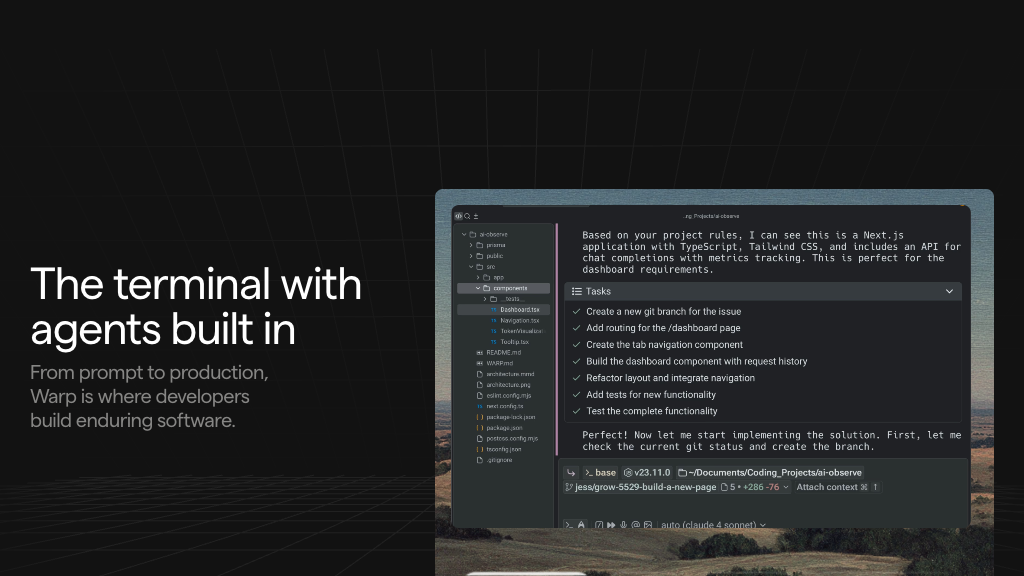
Warp is an AI-powered terminal designed for developers to enhance command-line productivity, offering smart suggestions and team collaboration features.
Community:
Warp - Reviews: User Feedback, Features, Pros & Cons
Key Features
- AI-Powered Command Suggestions: Enhances productivity by offering context-aware completions.
- Block-Based Output and Editing: Allows editing and navigation similar to IDEs with discrete output blocks.
- Warp Drive for Team Collaboration: Enables secure sharing of commands and workflows within teams.
- Customizable and Modern UI: Provides theme and keybinding customization with fast rendering.
Typical Use Cases
Developer Productivity Enhancement
Boosts efficiency in coding tasks through AI assistance and advanced editing capabilities.
Boosts efficiency in coding tasks through AI assistance and advanced editing capabilities.
Team Workflow Standardization
Facilitates shared practices via Warp Drive's libraries for consistent team processes.
Facilitates shared practices via Warp Drive's libraries for consistent team processes.
Cloud Infrastructure Management
Optimizes cloud operations with real-time data integration directly from the terminal.
Optimizes cloud operations with real-time data integration directly from the terminal.
Best For
- Developers seeking productivity tools (because of enhanced command efficiency)
- Teams needing collaboration (because of shared workflow features)
- Organizations focused on security (because of privacy-centric design)
Read More
Avoid
- Users needing offline full functionality
- Non-developers unfamiliar with terminal use
- Individuals seeking non-AI solutions
Pricing Overview
The tool provides free usage up to a specified limit of AI requests per month, with higher limits available through subscription plans.
FAQ
- What platforms does Warp support?
Warp is available for Mac, Linux (popular distributions), and Windows (x64 and ARM64). - How does Warp enhance command-line productivity?
Warp uses AI to provide smart command suggestions, natural language input, and an IDE-like editing experience with block-based output. - Is my data safe when using Warp’s AI features?
Yes, Warp processes natural language locally and never sends your data for AI training or stores it externally without your consent. - What is Warp Drive and how does it benefit teams?
Warp Drive is a secure, shared repository for saving and syncing commands, workflows, and runbooks, enabling team collaboration and standardization. - Can I customize the appearance and behavior of Warp?
Yes, Warp supports customizable themes, fonts, keybindings, and prompt configurations to tailor the terminal to your preferences. - Does Warp support multiple shells?
Warp supports popular shells including ZSH, Bash, Fish, Powershell, WSL, and Git Bash. - Are there limits on AI usage in Warp?
Warp includes 150 free AI requests per user per month, with higher limits available on paid plans. - Can I use Warp offline?
Yes, Warp Drive works in read-only mode offline, but creating or syncing workflows requires an internet connection.
Verdict
The tool effectively enhances developer productivity through its intelligent features and collaborative capabilities. While it excels in improving command-line efficiency and team coordination, users should consider its online requirements for full functionality. Overall, it is well-suited for professional development environments prioritizing speed and security.
Warp Reviews
No reviews
Top Regions of Warp
🇺🇸United States:17.51%
🇮🇳India:11.20%
🇨🇳CN:10.17%
🇩🇪DE:3.55%
🇬🇧United Kingdom:2.92%
🌍Others:54.65%
Warp Traffic Trends
Monthly Visits: 1.13M