Summary TopPDF provides a robust solution for managing PDF files directly from your browser. Users can edit, convert, and sign documents without installing additional software. Its AI-powered features further enhance document quality and productivity.
TopPDF
TopPDF is an online toolkit for editing, converting, and managing PDFs. Ideal for professionals needing efficient PDF handling without installations.
Community:
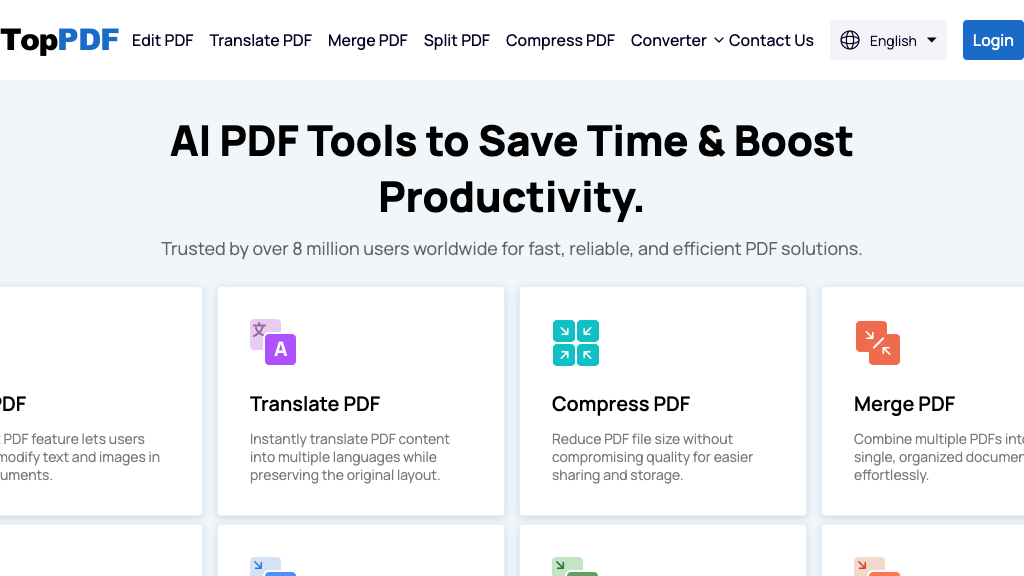
TopPDF - Reviews: User Feedback, Features, Pros & Cons
Key Features
- All-in-One PDF Tools: Comprehensive suite for editing, merging, and converting PDFs.
- AI-Powered Text Enhancements: Advanced grammar and paraphrasing tools enhance clarity.
- Instant PDF Translation: Translates documents into over 200 languages while maintaining layout.
- No Installation Required: Operates entirely within the web browser for ease of use.
Typical Use Cases
Document Editing and Management
Edit text and images in PDFs, manage file sizes with compression, or organize content by merging and splitting files.
Edit text and images in PDFs, manage file sizes with compression, or organize content by merging and splitting files.
Content Conversion
Easily convert PDFs to formats like Word or Excel for further editing or data extraction.
Easily convert PDFs to formats like Word or Excel for further editing or data extraction.
Multilingual Document Handling
Translate documents accurately across multiple languages without disrupting the original format.
Translate documents accurately across multiple languages without disrupting the original format.
Best For
- Professionals (because it streamlines document workflows)
- Linguists (because it offers extensive language support)
- Remote teams (because it requires no software installation)
Read More
Avoid
- Users requiring offline access
- Those seeking completely free solutions
- Individuals with limited internet connectivity
Pricing Overview
The platform is available with free access to basic features; however, advanced functions may require a subscription plan.
FAQ
- Is TopPDF free to use?
TopPDF offers free access with some limitations; premium features and higher usage may require a subscription. - Do I need to install any software to use TopPDF?
No installation is needed; all tools are accessible directly through your web browser. - Can TopPDF maintain the original formatting during file conversions?
Yes, the platform ensures high-quality conversions that preserve formatting and data integrity. - How secure is the online PDF signing feature?
The signing process is designed to be fast and secure, protecting your documents during digital signature application.
Verdict
TopPDF stands out as a powerful tool for managing PDFs with ease directly from your browser. Its comprehensive features cater well to professionals who need reliable document handling capabilities. While basic functionalities are free, accessing full features may involve additional costs.
TopPDF Reviews
No reviews yet
Top Regions of TopPDF
🇩🇪DE:37.02%
🇺🇸United States:10.56%
🇳🇱NL:9.12%
🇯🇵JP:7.62%
🇬🇧United Kingdom:7.60%
🌍Others:28.08%
TopPDF Traffic Trends
Monthly Visits: 258.26K