Summary Streak CRM for Gmail offers a unique approach by embedding CRM capabilities directly within Gmail. Users find it effective for managing sales, support, and hiring processes efficiently. The tool is particularly noted for its ease of use in streamlining workflows and enhancing team collaboration.

Streak CRM for Gmail
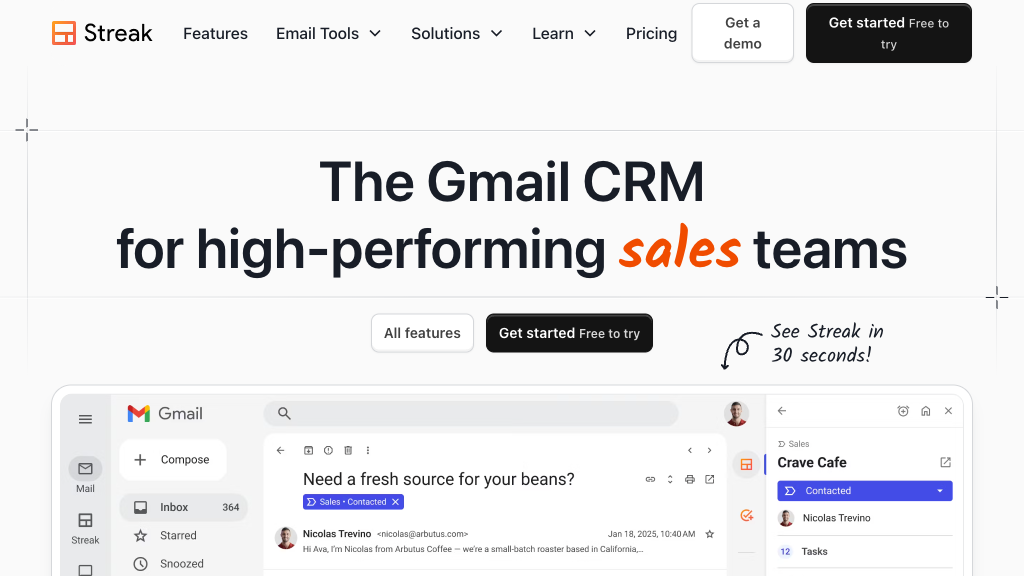
Streak CRM for Gmail integrates CRM features directly into your inbox, ideal for sales teams, support staff, and project managers seeking efficiency.
Community:
Streak CRM for Gmail - Reviews: User Feedback, Features, Pros & Cons
Key Features
- Native Gmail Integration: Allows users to manage all CRM activities directly in their inbox.
- Customizable Pipelines and Boxes: Enables tailored pipeline creation for various business processes.
- Team Collaboration: Facilitates real-time communication and sharing among team members.
- Automation and Native Integrations: Supports workflow automation with numerous app integrations.
Typical Use Cases
Sales Pipeline Management
Efficiently track leads and customer interactions to close deals directly from your inbox.
Efficiently track leads and customer interactions to close deals directly from your inbox.
Customer Support Ticketing
Handle support requests collaboratively using shared pipelines within Gmail.
Handle support requests collaboratively using shared pipelines within Gmail.
Hiring and Recruitment
Streamline recruitment by organizing candidate information and coordinating interviews within the platform.
Streamline recruitment by organizing candidate information and coordinating interviews within the platform.
Best For
- Sales Teams (because of streamlined lead tracking)
- Support Staff (because of integrated ticket management)
- Project Managers (because of centralized task oversight)
Read More
Avoid
- Non-Gmail Users
- Larger Enterprises Needing Extensive Customization
- Users Seeking Offline Access
Pricing Overview
The pricing structure is designed to accommodate various business sizes, offering both free and paid plans with additional features in premium tiers.
FAQ
- How does Streak integrate with Gmail?
Streak is built directly into Gmail, allowing you to manage pipelines, emails, and CRM tasks without leaving your inbox. - Can I customize pipelines in Streak?
Yes, you can create unlimited pipelines and customize stages, columns, and data fields to match your workflow. - Does Streak support team collaboration?
Absolutely. You can share pipelines, emails, contacts, and tasks with your team for real-time collaboration. - What automation options does Streak offer?
Streak provides native automations and integrations with apps like Calendly and Typeform, plus supports Zapier for thousands more. - Is email tracking available in Streak?
Yes, Streak tracks when emails are opened and when links are clicked, helping you gauge engagement. - Can I send bulk personalized emails with Streak?
Yes, Streak supports mail merge with automated follow-ups to efficiently reach multiple contacts. - What platforms and browsers does Streak support?
Streak works on Google Chrome, Safari, and Microsoft Edge browsers and offers mobile apps for iOS and Android. - What happens to my data if I cancel my paid plan?
Your data remains intact and accessible in a read-only mode on the free plan; no data is deleted upon cancellation.
Verdict
Streak CRM for Gmail effectively integrates CRM functionalities within an email client environment. Its deep integration with Google Workspace makes it highly suitable for businesses that heavily rely on Gmail. While there is a learning curve involved, particularly for new users unfamiliar with CRM systems, the tool's ability to streamline various workflows through automation proves beneficial overall.
Streak CRM for Gmail Reviews
No reviews
Top Regions of Streak CRM for Gmail
🇺🇸United States:25.94%
🇮🇳India:5.41%
🇫🇷France:3.35%
🇬🇧United Kingdom:2.37%
🇨🇱CL:2.26%
🌍Others:60.67%
Streak CRM for Gmail Traffic Trends
Monthly Visits: 596.68K