Summary Slidesgo provides a wide array of editable templates suitable for various presentation needs. Its AI tool assists in generating customized slides rapidly, making it beneficial for diverse users. While the platform offers both free and premium options, the premium version includes additional perks.
Slidesgo
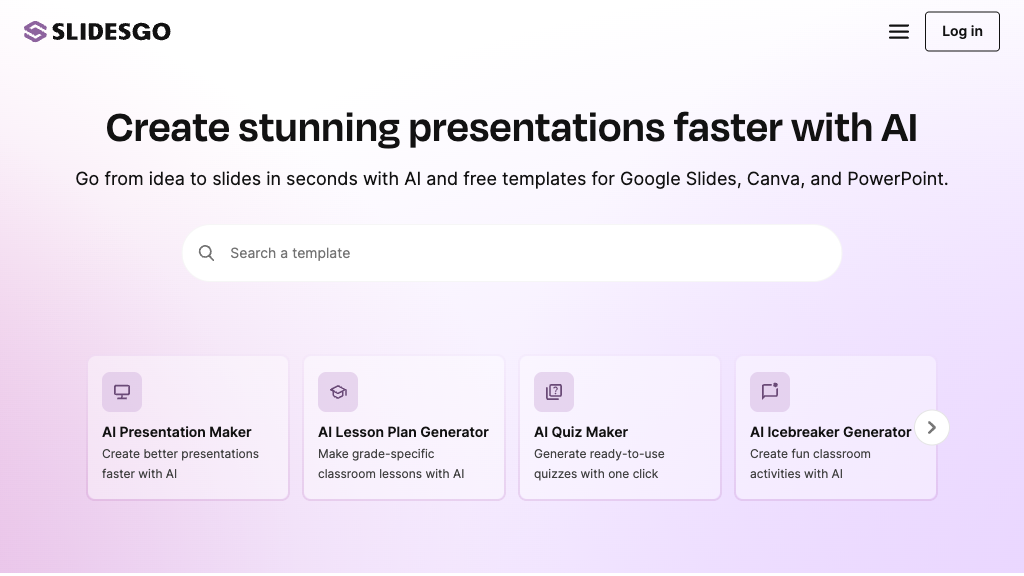
Slidesgo offers a comprehensive library of customizable templates for Google Slides and PowerPoint, ideal for educators, businesses, and creatives.
Community:
Slidesgo - Reviews: User Feedback, Features, Pros & Cons
Key Features
- Extensive Template Library: Offers over 15,000 templates across different categories.
- Full Customizability: Allows modification of layouts, colors, and graphics to match user needs.
- AI Presentation Maker: Quickly creates personalized presentations based on user input.
- Multi-Platform Compatibility: Compatible with Google Slides, PowerPoint, and Keynote.
Typical Use Cases
Educational Presentations
Ideal for teachers and students needing thematic templates to enhance learning experiences.
Ideal for teachers and students needing thematic templates to enhance learning experiences.
Business and Marketing
Helps professionals create impactful presentations for pitches or product launches.
Helps professionals create impactful presentations for pitches or product launches.
Creative and Design Projects
Aids designers in using visual resources to effectively communicate ideas.
Aids designers in using visual resources to effectively communicate ideas.
Best For
- Educators (because they can access ready-made lesson plans)
- Business Professionals (because it supports creating impactful presentations)
- Designers (because it provides editable infographics and icons)
Read More
Avoid
- Users seeking completely free solutions
- Those who do not use Google Slides or PowerPoint
- Individuals requiring offline editing capabilities
Pricing Overview
The platform offers free templates but also has a premium subscription that provides unlimited downloads, priority support, and exclusive content access.
FAQ
- Are Slidesgo templates free to use?
Yes, Slidesgo offers many free templates, but some premium templates require a subscription. - Can I edit the templates fully?
Most elements in the templates are editable, allowing customization of text, colors, layouts, and graphics. - Do I need to credit Slidesgo when using free templates?
Yes, free users must keep the slide with credits to Slidesgo unless they have a Premium subscription. - What platforms are Slidesgo templates compatible with?
Templates work with Google Slides, PowerPoint, and Keynote.
Verdict
Slidesgo is a versatile tool that serves educators, business professionals, and designers well with its comprehensive template offerings. While its AI tool enhances efficiency in creating presentations quickly, users should consider the premium subscription for full feature access if needed frequently.
Slidesgo Reviews
No reviews yet
Top Regions of Slidesgo
🇺🇸United States:29.72%
🇮🇳India:7.36%
🇮🇩ID:4.86%
🇷🇺RU:3.39%
🇨🇦CA:3.01%
🌍Others:51.66%
Slidesgo Traffic Trends
Monthly Visits: 7.40M