Summary RunComfy provides a cloud-based solution for artists and creators looking to leverage AI technology in their work. It offers ready-to-use ComfyUI environments that eliminate setup time, allowing users to focus on creative tasks. Its flexible GPU options and fast model downloads support various complex projects.
RunComfy
RunComfy is a cloud platform tailored for artists and creators, offering ComfyUI workflows with high-speed GPU options. Ideal for AI art and video production.
Community:
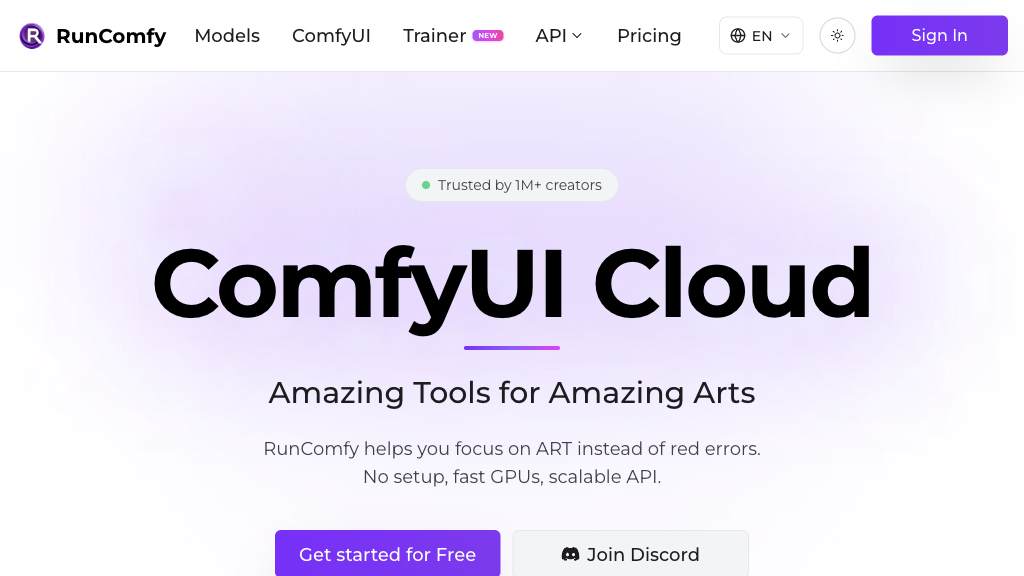
RunComfy - Reviews: User Feedback, Features, Pros & Cons
Key Features
- Native ComfyUI Environment: Offers an immediate setup for users to start their workflows without configuration hassles.
- Fast Model Downloads: Enables rapid model acquisition from popular sources, enhancing workflow efficiency.
- Flexible Node Management: Supports easy management of nodes across multiple environments for diverse experiments.
- Multiple GPU Options: Provides scalable GPU resources to accommodate various project needs efficiently.
Typical Use Cases
AI Art Creation
Facilitates artists in creating sophisticated images and videos using cloud-based solutions without technical hindrances.
Facilitates artists in creating sophisticated images and videos using cloud-based solutions without technical hindrances.
Video and Animation Production
Enables creators to develop intricate animations through specialized workflows designed for video content.
Enables creators to develop intricate animations through specialized workflows designed for video content.
3D Modeling and Rendering
Aids in producing detailed 3D models and animations when integrated with complementary tools.
Aids in producing detailed 3D models and animations when integrated with complementary tools.
Best For
- Artists (because they can quickly create without technical delays)
- Video Producers (because it offers powerful tools for animation creation)
- 3D Designers (because it supports complex modeling tasks)
Read More
Avoid
- Basic Users (due to complexity of features)
- Low Budget Projects (as it might be resource-intensive)
- Customization Seekers (who need highly personalized settings)
Pricing Overview
The pricing structure is designed to cater to varying needs with different GPU options available, ensuring flexibility for diverse project requirements.
FAQ
- Can I upload and save my own models on RunComfy?
Yes, you can upload models from your device and download from major sources. All models persist across sessions. - Does RunComfy require any local software installation?
No, RunComfy is fully cloud-based with no local setup needed; the ComfyUI environment is ready to use instantly. - What GPU options does RunComfy offer?
RunComfy provides on-demand GPUs with VRAM ranging from 16GB to 80GB to support various model sizes. - Can I share my ComfyUI workflow with others?
Yes, workflows can be shared via links, including all models, nodes, and environment settings. - Are there pre-made workflows available on RunComfy?
Yes, there are over 100 curated, ready-to-run workflows covering diverse creative tasks updated daily. - Is it possible to install custom nodes in RunComfy?
Absolutely, RunComfy includes ComfyUI-Manager to easily install and manage custom nodes. - Will my workflow environment be saved after I log out?
Yes, the entire workflow environment is saved in the cloud for reproducible sessions anytime.
Verdict
RunComfy stands out as a robust platform for AI-driven artistic endeavors. Its capabilities in handling complex workflows make it an excellent choice for professionals needing efficient tools. While it excels in many areas, those seeking extensive customization might find its current offerings somewhat limited.
RunComfy Reviews
No reviews
Top Regions of RunComfy
🇺🇸United States:16.24%
🇰🇭KH:11.73%
🇨🇳CN:6.89%
🇩🇪DE:5.47%
🇫🇷France:4.08%
🌍Others:55.59%
RunComfy Traffic Trends
Monthly Visits: 709.78K