Summary Rows combines spreadsheet functionalities with AI features to enhance data analysis and automation. It supports integration with numerous business apps and facilitates team collaboration, making it a robust tool for various professional settings.
Rows
Rows is a versatile spreadsheet platform with AI capabilities, ideal for teams needing data analysis and automation without complex coding.
Community:
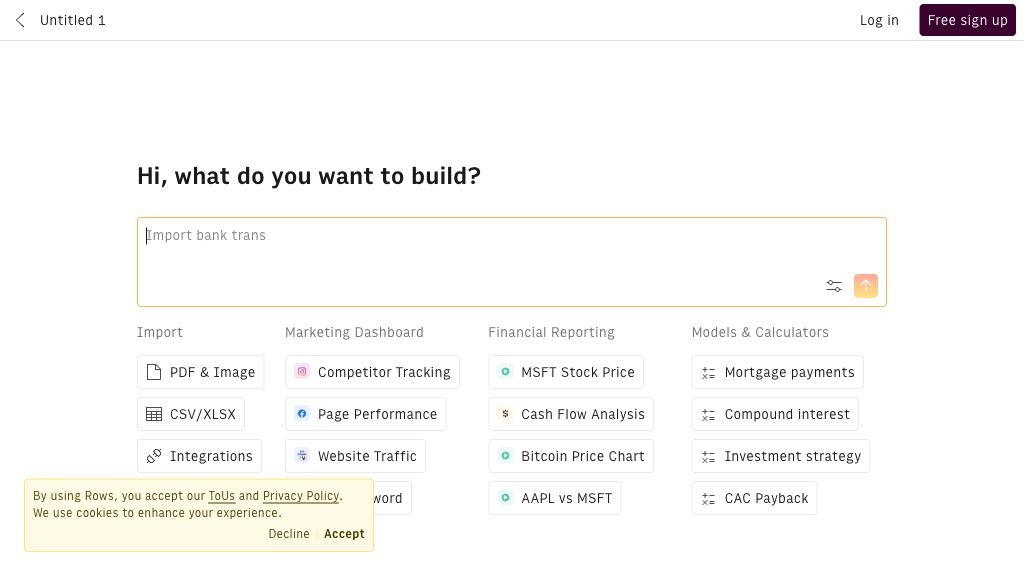
Rows - Reviews: User Feedback, Features, Pros & Cons
Key Features
- AI Analyst: Allows data processing through natural language without complex formulas.
- Native AI Integration: Integrates AI actions directly within the spreadsheet environment.
- Extensive Integrations: Connects seamlessly with over 50 business tools for data synchronization.
- Automation and Scheduling: Enables task scheduling and workflow automation within spreadsheets.
Typical Use Cases
Marketing Analytics
Marketers can consolidate data from multiple channels to create detailed reports and track campaign performance efficiently.
Marketers can consolidate data from multiple channels to create detailed reports and track campaign performance efficiently.
Sales Operations
Sales teams benefit from automated lead generation and dynamic dashboards that streamline monitoring processes.
Sales teams benefit from automated lead generation and dynamic dashboards that streamline monitoring processes.
Financial Planning
Finance professionals can perform budget monitoring and cash flow analyses with automatic data updates and AI insights.
Finance professionals can perform budget monitoring and cash flow analyses with automatic data updates and AI insights.
Best For
- Data analysts (because they need advanced analytical tools)
- Marketing teams (because of integration capabilities)
- Finance departments (because of budget and cash flow management features)
Read More
Avoid
- Sole users looking for basic spreadsheets
- Organizations needing offline access
- Users requiring extensive custom scripting
Pricing Overview
The platform provides a free tier with limited AI functionalities, catering to initial user engagement. Advanced features are available in paid plans, offering more robust capabilities for professional use.
FAQ
- What makes Rows different from traditional spreadsheet software?
Rows integrates AI-powered data analysis and automation natively within the spreadsheet, combined with extensive business app integrations. - Do I need to know coding or complex formulas to use Rows’ AI features?
No, Rows allows you to use natural language queries and AI formulas without requiring coding or advanced spreadsheet skills. - Which business tools can Rows integrate with?
Rows supports over 50 integrations including Google Analytics, Salesforce, HubSpot, MailChimp, Stripe, and more. - Can I automate repetitive tasks in Rows?
Yes, Rows offers scheduling and repeating actions to automate data refreshes, reports, and workflows. - Is there a free plan available for Rows?
Yes, Rows offers a free tier with limited AI question prompts and OpenAI executions to get started. - How steep is the learning curve for new users?
If you are familiar with Excel or Google Sheets, Rows is easy to learn, with ongoing updates and support to help users.
Verdict
Rows is an effective tool for teams seeking enhanced data management capabilities through AI integration. While it excels in facilitating collaboration and automation, its free tier may be restrictive for extensive use. Advanced users will find value in its wide-ranging features despite the need for paid plans to unlock full potential.
Rows Reviews
No reviews yet
Rows Traffic Trends
Monthly Visits: 370.29K