Summary Ramp integrates various financial processes into a single platform, enhancing operational efficiency for finance teams. It automates repetitive tasks such as transaction coding and invoice processing, making it easier to enforce spending policies and manage vendors.
Ramp
Ramp streamlines corporate finance operations with automation for expense management, billing, and accounting. Ideal for finance teams seeking efficiency.
Community:
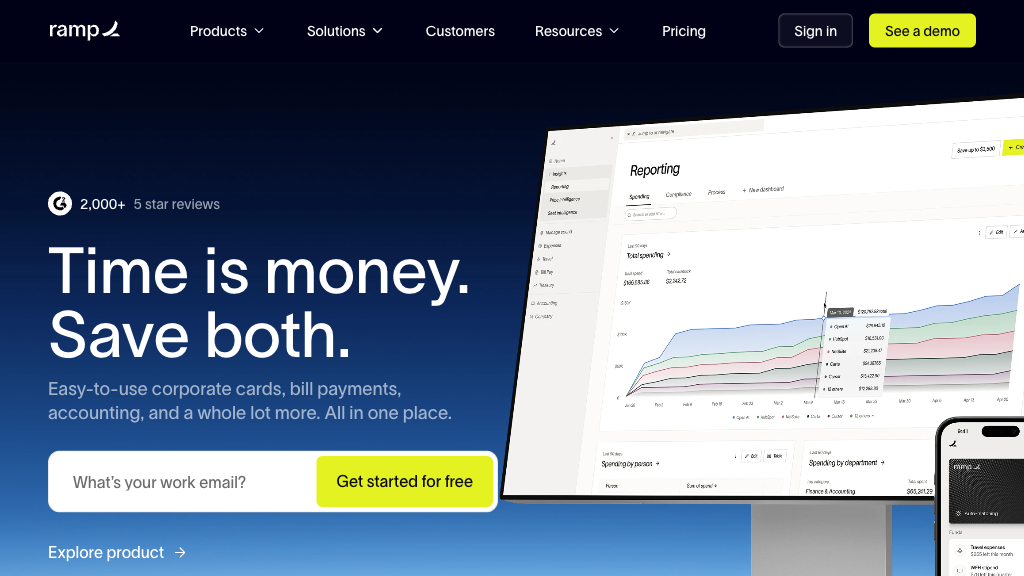
Ramp - Reviews: User Feedback, Features, Pros & Cons
Key Features
- Corporate Card Management: Issue both virtual and physical cards with spending controls.
- Automated Expense and Accounting: Sync expenses in real time with popular accounting software.
- Accounts Payable Automation: Streamline invoice processing with AI-driven tools.
- Procurement and Vendor Management: Centralize purchase orders and vendor contracts for better control.
Typical Use Cases
Finance Team Efficiency
Enhance productivity by automating manual accounting tasks, allowing focus on strategic initiatives.
Enhance productivity by automating manual accounting tasks, allowing focus on strategic initiatives.
Expense Policy Enforcement
Automatically enforce spending limits to prevent unauthorized expenditures.
Automatically enforce spending limits to prevent unauthorized expenditures.
Vendor and Invoice Management
Simplify payments and approvals to strengthen vendor relationships.
Simplify payments and approvals to strengthen vendor relationships.
Best For
- Large enterprises (because they require comprehensive spend management)
- Finance departments (because they benefit from automation)
- Global businesses (because they need multi-entity support)
Read More
Avoid
- Small businesses with simple needs
- Companies without existing accounting software
- Organizations needing minimal spend control features
Pricing Overview
The pricing structure of Ramp is designed to align with its extensive feature set aimed at large-scale operations. Specific pricing details are typically tailored based on business size and requirements.
FAQ
- What types of cards does Ramp offer?
Ramp provides both virtual and physical corporate cards with customizable spending limits and controls. - How does Ramp automate accounting processes?
Ramp automatically captures receipts, codes transactions using smart rules, and syncs data with accounting software in real time. - Can Ramp handle accounts payable automation?
Yes, Ramp uses AI to scan invoices, automate approval workflows, and supports batch payments to streamline AP. - Is travel booking included in Ramp’s platform?
Yes, Ramp offers integrated travel booking with no platform or booking fees, and automates expense reporting for trips. - How does Ramp enforce spending policies?
Ramp allows admins to set spending limits, approval rules, and real-time alerts that prevent out-of-policy expenses. - What accounting software does Ramp integrate with?
Ramp integrates with popular platforms including QuickBooks, NetSuite, Xero, Sage Intacct, and others. - Can Ramp support global companies?
Yes, Ramp supports multi-entity accounting, local currency cards, and reimbursements for global operations. - How quickly can Ramp help close books?
Ramp customers typically close their books up to 75-86% faster, often within 1-2 days, thanks to automation.
Verdict
Overall, Ramp stands out as a powerful tool for financial automation in large organizations. While the setup might pose challenges initially, its comprehensive features significantly aid in simplifying complex financial tasks. It is particularly beneficial for those seeking enhanced control over corporate spending and vendor management.
Ramp Reviews
No reviews
Top Regions of Ramp
🇺🇸United States:87.51%
🇨🇦CA:1.10%
🇬🇧United Kingdom:1.09%
🇮🇳India:0.86%
🇵🇭PH:0.85%
🌍Others:8.59%
Ramp Traffic Trends
Monthly Visits: 4.37M