Summary Otter.ai provides an efficient solution for automating meeting transcriptions and summaries. It integrates well with major video conferencing tools, offering real-time transcription with speaker identification. While it excels in capturing key points and action items, improvements in accent recognition could enhance its utility further.

Otter.ai
Otter.ai is a cloud-based AI meeting assistant ideal for professionals in business, education, and media, offering real-time transcription and collaboration tools.
Community:
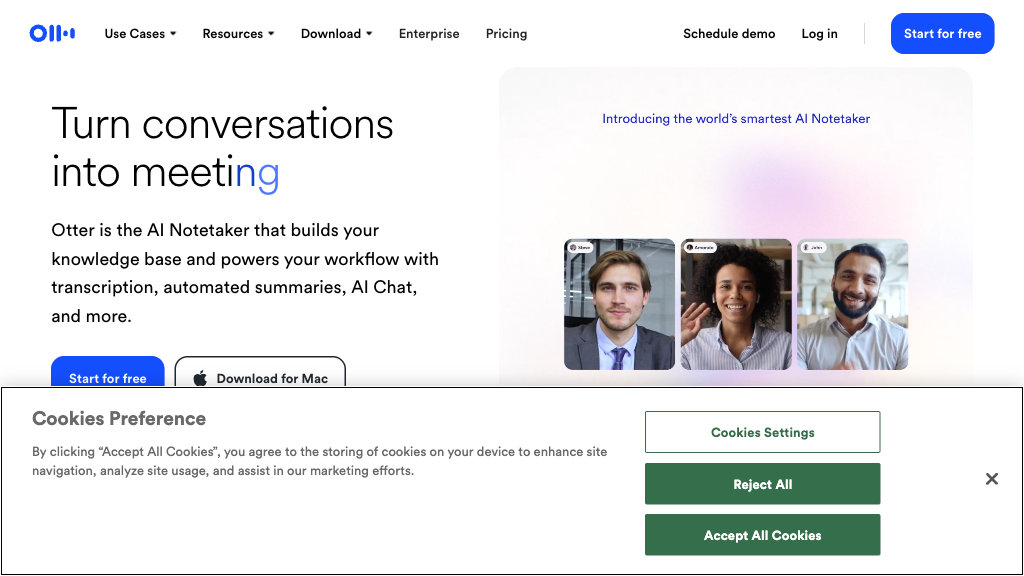
Otter.ai - Reviews: User Feedback, Features, Pros & Cons
Key Features
- Real-Time Meeting Transcription: Transcribes live conversations with speaker labels and timestamps.
- AI-Generated Summaries: Produces concise meeting overviews and tasks using AI.
- Otter AI Chat: Allows interactive queries on transcripts during meetings.
- Slide Capture: Captures visual content shared in meetings alongside text.
Typical Use Cases
Business Meetings and Sales Calls
This use case helps sales teams automate note-taking and sync insights with CRM systems to enhance follow-ups.
This use case helps sales teams automate note-taking and sync insights with CRM systems to enhance follow-ups.
Education and Lectures
Facilitates learning by providing accurate transcriptions and searchable notes for students and educators.
Facilitates learning by providing accurate transcriptions and searchable notes for students and educators.
Media and Content Creation
Aids journalists and creators in transcribing interviews efficiently while highlighting key quotes.
Aids journalists and creators in transcribing interviews efficiently while highlighting key quotes.
Best For
- Business professionals (because of integration with CRM systems)
- Educators (because it enhances accessibility of lectures)
- Content creators (because it efficiently transcribes media events)
Read More
Avoid
- Users requiring offline functionality
- Those needing support for obscure languages
- Individuals uncomfortable with data sharing via cloud services
Pricing Overview
The pricing model is designed to cater to different user needs, offering both free access with limitations and premium options for enhanced features.
FAQ
- What platforms does Otter.ai integrate with for automatic meeting transcription?
Otter.ai integrates with Zoom, Microsoft Teams, and Google Meet, automatically joining and transcribing scheduled meetings. - Can Otter.ai identify different speakers in a meeting?
Yes, Otter.ai automatically detects and labels speakers in the transcript to clarify who said what. - What is Otter AI Chat and how does it work?
Otter AI Chat allows users to ask questions and get instant AI-generated answers based on meeting transcripts during or after meetings. - Does Otter.ai support capturing slides or screen shares during meetings?
Yes, Otter.ai automatically detects and captures slides or screen shares, embedding them alongside the transcript for context. - How does Otter.ai handle action items from meetings?
It uses AI to identify, assign, and track action items with owners and deadlines, helping teams stay organized. - Is Otter.ai accessible on mobile devices?
Yes, Otter.ai is available on iOS and Android apps, as well as through web browsers and Chrome extensions. - Can Otter.ai transcribe pre-recorded audio or video files?
Yes, users can upload audio and video files for transcription and review within Otter.ai. - How secure is the data processed by Otter.ai?
Otter.ai employs TLS and AES-256 encryption to protect real-time content and user data.
Verdict
Otter.ai stands out as a versatile tool for professionals across various fields due to its robust transcription capabilities. Its strengths lie in seamless integrations and effective summarization features. While there are areas for improvement regarding accent diversity, it remains a powerful asset for enhancing productivity in digital meetings.
Otter.ai Reviews
No reviews yet
Top Regions of Otter.ai
🇺🇸United States:61.56%
🇬🇧United Kingdom:7.08%
🇮🇳India:3.80%
🇨🇦CA:3.22%
🇦🇺AU:2.42%
🌍Others:21.92%
Otter.ai Traffic Trends
Monthly Visits: 6.24M