Summary MasterGo AI facilitates efficient UI/UX design with its intelligent automation and collaborative features. It streamlines workflows through automated layouts, smart material filling, and real-time team collaboration, making it a comprehensive solution for design teams.
MasterGo
MasterGo is an AI-driven UI design assistant ideal for teams seeking automated layouts and real-time collaboration.
Community:
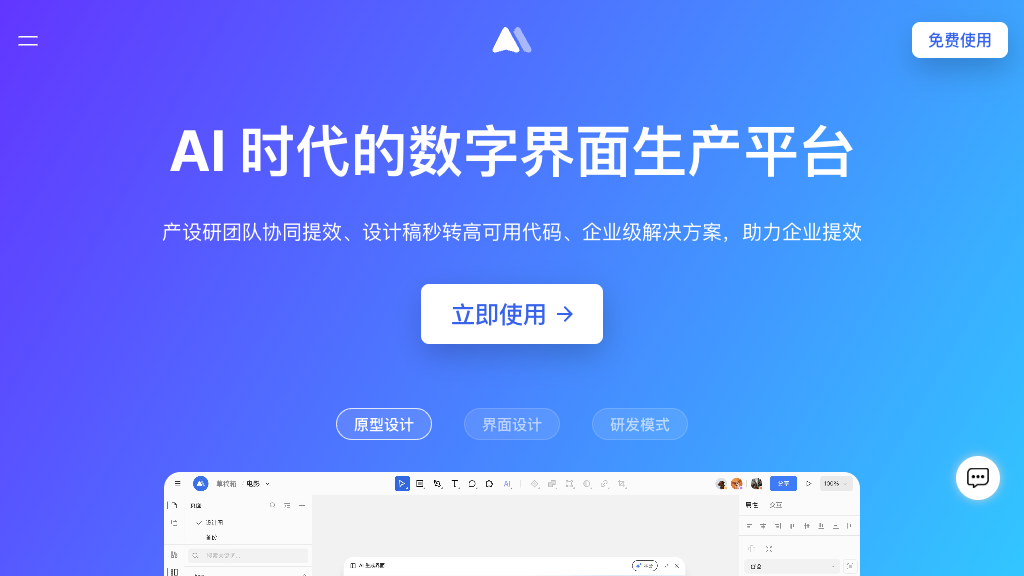
MasterGo - Reviews: User Feedback, Features, Pros & Cons
Key Features
- Smart Interface Design: Offers automated layout creation and intelligent material filling to maintain professional standards efficiently.
- Interactive Prototype Creation: Enables advanced prototyping with wireframes, flowcharts, and animations to showcase user interactions.
- Design System Management: Provides centralized component libraries with easy reuse and synchronization across projects.
- Real-time Team Collaboration: Supports multi-user editing with annotation tools to enhance communication and accelerate delivery.
Typical Use Cases
Enterprise UI/UX Design
Facilitates consistent interface design across multiple products, ensuring unified standards for large-scale teams.
Facilitates consistent interface design across multiple products, ensuring unified standards for large-scale teams.
Rapid Prototyping
Enables quick creation of interactive prototypes for concept validation and stakeholder communication.
Enables quick creation of interactive prototypes for concept validation and stakeholder communication.
Design System Development
Aids in building comprehensive design systems with reusable components for consistency across digital products.
Aids in building comprehensive design systems with reusable components for consistency across digital products.
Best For
- Large enterprises (because it supports extensive deployment options)
- UI/UX designers (because it automates tedious tasks)
- Collaborative teams (because it enhances teamwork efficiency)
Read More
Avoid
- Small freelance projects
- Non-collaborative environments
- Lack of internet access scenarios
Pricing Overview
The pricing details are not specified, but the platform is noted for enterprise-level deployment options suitable for large organizations.
FAQ
- What makes MasterGo AI different from other design tools?
MasterGo AI combines intelligent automation features like smart layout generation and material filling with comprehensive team collaboration capabilities, specifically designed for Chinese enterprises with full localization support. - Can MasterGo AI integrate with existing design workflows?
Yes, MasterGo AI supports cloud-based storage with real-time updates and provides code generation features that enable seamless handoffs between designers and developers. - Does MasterGo AI support team collaboration?
MasterGo AI offers real-time multi-user collaboration with commenting, reviewing, and annotation features, allowing teams to work simultaneously on design projects. - What types of prototypes can I create with MasterGo AI?
The platform supports interactive prototypes including wireframes, flowcharts, interactive models, and smart animations to demonstrate user interactions and product functionality.
Verdict
Overall, MasterGo AI stands out as a valuable tool for enterprises looking to improve their UI/UX design processes. Its emphasis on automation and collaboration makes it particularly effective in large team environments. While it may not be ideal for smaller projects or non-collaborative settings, its strengths in streamlining complex workflows are noteworthy.
MasterGo Reviews
No reviews
Top Regions of MasterGo
🇨🇳CN:89.35%
🇺🇸United States:4.13%
🇭🇰HK:3.10%
🇲🇾MY:1.31%
🇸🇬SG:0.41%
🌍Others:1.70%
MasterGo Traffic Trends
Monthly Visits: 1.86M