Summary CodetoFlow is a tool that effectively converts source code into visual flowcharts, aiding in the understanding of complex coding structures. It supports various programming languages and offers multiple diagram types. While praised for its utility in debugging and documentation, some users suggest improvements in the free version.
CodetoFlow
CodetoFlow transforms code into interactive flowcharts, ideal for developers and educators seeking to simplify complex logic and enhance understanding.
Community:
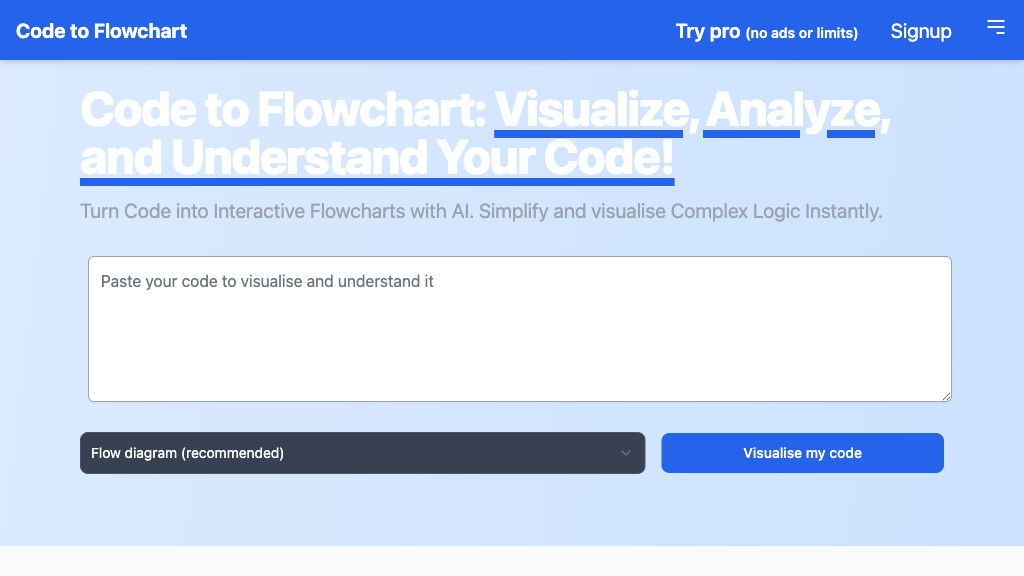
CodetoFlow - Reviews: User Feedback, Features, Pros & Cons
Key Features
- Multi-Language Support: Accommodates several programming languages like Python, JavaScript, and more.
- Interactive Flowchart Generation: Transforms code into interactive diagrams for easy exploration.
- Multiple Diagram Types: Provides options such as sequence and class diagrams alongside flowcharts.
- Export and Customization: Diagrams can be exported in various formats with customizable aesthetics.
Typical Use Cases
Code Comprehension
This use case involves aiding developers to quickly understand intricate codebases by visualizing logic flows.
This use case involves aiding developers to quickly understand intricate codebases by visualizing logic flows.
Debugging and Optimization
The tool assists in identifying errors swiftly by illustrating code paths clearly, with added AI insights in the Pro version.
The tool assists in identifying errors swiftly by illustrating code paths clearly, with added AI insights in the Pro version.
Software Documentation
Generates clear diagrams that improve the quality of documentation and facilitate team communication.
Generates clear diagrams that improve the quality of documentation and facilitate team communication.
Best For
- Developers (because it simplifies understanding of complex code)
- Educators (because it aids in teaching programming concepts visually)
- Project teams (because it enhances collaboration with non-technical stakeholders)
Read More
Avoid
- Simplistic projects that do not require visualization
- Users looking for non-interactive diagram solutions
- Individuals who need offline tools exclusively
Pricing Overview
A free version is available with limited daily usage; the Pro version offers unlimited access with additional features like AI insights and customization options.
FAQ
- What programming languages does CodetoFlow support?
CodetoFlow supports all major languages including Python, JavaScript, TypeScript, Java, C, and C++. - Can I export the generated flowcharts?
Yes, flowcharts can be exported in SVG, PNG, or PDF formats. - Is there a free version of CodetoFlow?
Yes, the free version allows limited daily flowchart generation, with Pro offering unlimited access and advanced features. - How does CodetoFlow help with debugging?
By visualizing code logic and flow, it makes identifying errors and complex paths easier and faster. - Are the flowcharts interactive?
Yes, users can interact with flowcharts to explore different parts of the code logic in detail. - Does CodetoFlow store my code?
No, CodetoFlow respects privacy and does not store or share your code. - What additional features does the Pro version offer?
Pro includes unlimited visualizations, longer code input limits, AI-powered optimization insights, and customization options.
Verdict
CodetoFlow effectively aids developers by transforming complex code into understandable diagrams. Its support for multiple languages and interactive features make it suitable for educational purposes as well. While the free version has some limitations, the Pro version offers extensive capabilities that benefit professional users seeking advanced functionality.
CodetoFlow Reviews
No reviews
Top Regions of CodetoFlow
🇺🇸United States:17.96%
🇮🇳India:14.49%
🇷🇺RU:11.34%
🇮🇩ID:8.38%
🇲🇳MN:7.76%
🌍Others:40.06%
CodetoFlow Traffic Trends
Monthly Visits: 41.87K