Summary Clipto effectively transforms audio and video files into text with impressive precision. Its ability to process long recordings and identify speakers makes it a versatile tool for various professional needs. Users appreciate its seamless integration with editing platforms.

Clipto
Clipto is an AI transcription tool offering high accuracy and multi-language support, perfect for content creators and professionals needing efficient transcription.
Community:
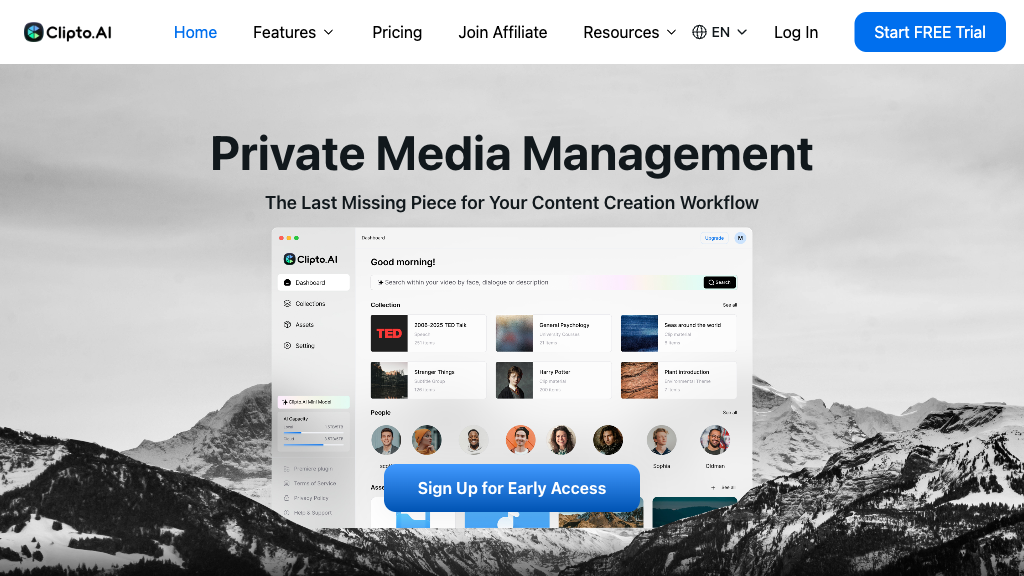
Clipto - Reviews: User Feedback, Features, Pros & Cons
Key Features
- High-Accuracy AI Transcription: Offers precise transcriptions across numerous languages.
- Speaker Identification: Differentiates between multiple speakers in recordings.
- Multi-Format Export: Provides export options compatible with popular editing software.
- Long Recording Support: Capable of handling lengthy audio and video files efficiently.
Typical Use Cases
Content Creation
Ideal for podcasters and journalists needing accurate transcripts to enhance accessibility or repurpose content.
Ideal for podcasters and journalists needing accurate transcripts to enhance accessibility or repurpose content.
Business Meetings
Aids professionals in transcribing meeting recordings with clarity, thanks to speaker identification.
Aids professionals in transcribing meeting recordings with clarity, thanks to speaker identification.
Educational Materials
Helps educators convert lectures into text, facilitating easier review and study.
Helps educators convert lectures into text, facilitating easier review and study.
Best For
- Content creators (because of its high accuracy in transcription)
- Business professionals (because of its speaker identification feature)
- Educators (because it converts educational content into text effectively)
Read More
Avoid
- Bargain seekers
- Users without credit cards
- Non-digital media users
Pricing Overview
The platform offers a 7-day free trial requiring credit card information, catering to those who wish to explore its capabilities before committing.
FAQ
- What file types does Clipto support for transcription?
Clipto supports a wide range of audio and video file formats, including direct uploads and YouTube URLs. - How accurate is Clipto's transcription?
Clipto offers near 99% accuracy across over 99 languages, including speaker identification. - Can I transcribe long recordings with Clipto?
Yes, Clipto can handle files up to six hours in length per upload. - Does Clipto offer a free trial?
Yes, there is a 7-day free trial available, but it requires credit card details to access. - Can I export transcripts for video editing?
Yes, Clipto supports exporting in formats compatible with Adobe Premiere and Final Cut Pro. - Is Clipto available on multiple platforms?
Clipto is accessible via web and Mac applications, ensuring flexibility for users. - Does Clipto provide transcription translation?
Clipto offers direct translation of transcripts into multiple languages within the platform. - How does Clipto handle speaker identification?
Clipto uses AI to assign transcript lines to specific speakers, improving clarity in multi-speaker recordings.
Verdict
Clipto serves as a robust solution for those seeking reliable transcription services. Its ability to manage extensive files and integrate seamlessly with editing tools makes it particularly beneficial for content creators. The requirement of credit card details for the trial may deter some users.
Clipto Reviews
No reviews
Top Regions of Clipto
🇧🇷Brazil:33.41%
🇺🇸United States:9.17%
🇪🇸Spain:5.95%
🇮🇳India:3.88%
🇮🇹IT:3.40%
🌍Others:44.19%
Clipto Traffic Trends
Monthly Visits: 9.13M