Summary Cleanvoice AI offers a streamlined solution for audio editing by automating the removal of filler words and background noise. Its multilingual capabilities and API integration make it suitable for both novice and professional users. While effective in enhancing audio quality, reliance on an internet connection can be limiting.

Cleanvoice AI
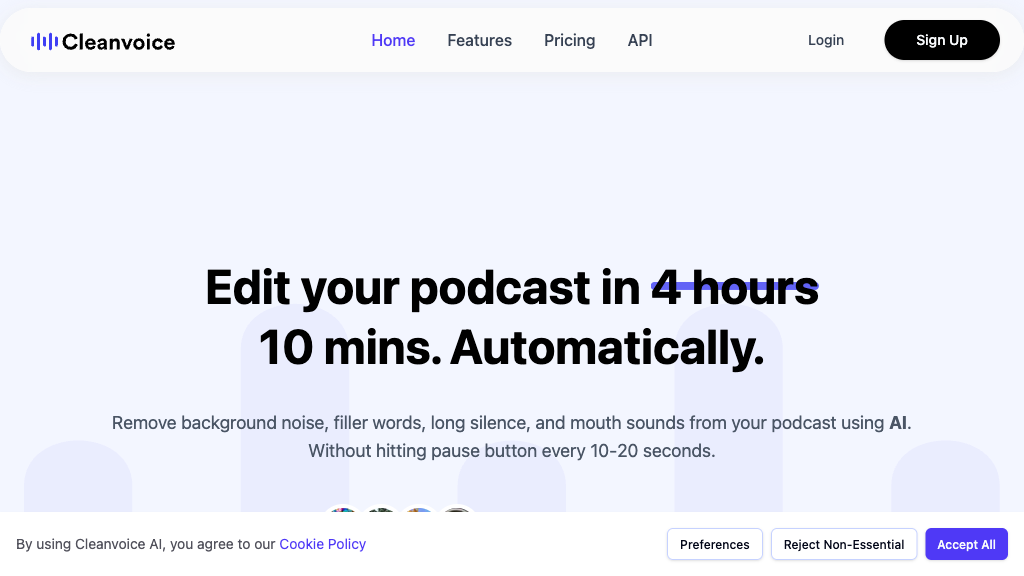
Cleanvoice AI automates audio editing, removing filler words and noise, ideal for podcasters and content creators seeking efficient production.
Community:
Cleanvoice AI - Reviews: User Feedback, Features, Pros & Cons
Key Features
- Automatic Noise and Filler Word Removal: Enhances audio clarity by eliminating unwanted sounds.
- Multilingual Transcription and Summarization: Supports multiple languages to create accessible content.
- Multitrack Editing and Timeline Export: Facilitates editing of multiple tracks with easy export options.
- API Integration for Scalability: Enables seamless workflow integration for large-scale projects.
Typical Use Cases
Podcast Production
Automates editing tasks to enhance audio quality while reducing time spent on production.
Automates editing tasks to enhance audio quality while reducing time spent on production.
Content Repurposing
Transforms audio into transcripts and summaries, broadening audience engagement through diverse formats.
Transforms audio into transcripts and summaries, broadening audience engagement through diverse formats.
Multilingual Audio Projects
Ideal for international content as it supports transcription in various languages.
Ideal for international content as it supports transcription in various languages.
Best For
- Podcasters (because it simplifies editing workflows)
- Content Creators (because it aids in repurposing content)
- Audio Engineers (because it integrates smoothly with existing tools)
Read More
Avoid
- Offline Use Cases
- Users Without Internet Access
- Simplistic Audio Needs
Pricing Overview
A free trial offering up to 30 minutes of audio cleaning is available without requiring a credit card. Full feature access may involve subscription plans tailored to usage needs.
FAQ
- What types of audio issues does Cleanvoice AI address?
It removes filler words, long pauses, background noise, mouth sounds, stutters, and balances audio levels automatically. - Does Cleanvoice AI support multiple languages?
Yes, it supports transcription and filler word removal in multiple languages including English, German, French, Spanish, and more. - Can I edit podcasts with multiple speakers using Cleanvoice AI?
Yes, it supports multitrack editing to handle multiple speakers while keeping audio synchronized. - Is there an API available for Cleanvoice AI?
Yes, Cleanvoice AI offers an API that enables automated and scalable podcast editing workflows. - Do I need advanced audio editing skills to use Cleanvoice AI?
No, the platform features a user-friendly interface designed for both beginners and professionals. - Can I export edited audio to other editing software?
Yes, Cleanvoice AI allows timeline exports compatible with popular editing tools like Adobe Audition and Premiere. - Is there a free trial available?
Yes, new users can try 30 minutes of audio cleaning for free without needing a credit card. - Does Cleanvoice AI work offline?
No, most features require an active internet connection as processing is cloud-based.
Verdict
Cleanvoice AI effectively enhances podcast production by automating tedious editing tasks. Its multilingual capabilities broaden its appeal across diverse markets. However, reliance on cloud-based processing might not suit all users' needs. Overall, it's a robust tool for those looking to streamline their audio workflows efficiently.
Cleanvoice AI Reviews
No reviews
Top Regions of Cleanvoice AI
🇮🇳India:19.85%
🇺🇸United States:9.50%
🇮🇩ID:5.70%
🇵🇭PH:3.51%
🇵🇰PK:2.81%
🌍Others:58.63%
Cleanvoice AI Traffic Trends
Monthly Visits: 1.08M