Summary 10sPPT is an innovative tool that enables rapid creation of professional presentations, significantly cutting down the time traditionally required for such tasks. Its dual-interface design facilitates easy editing and real-time previewing of slides, making it a practical choice for both novice and experienced users.

秒出PPT
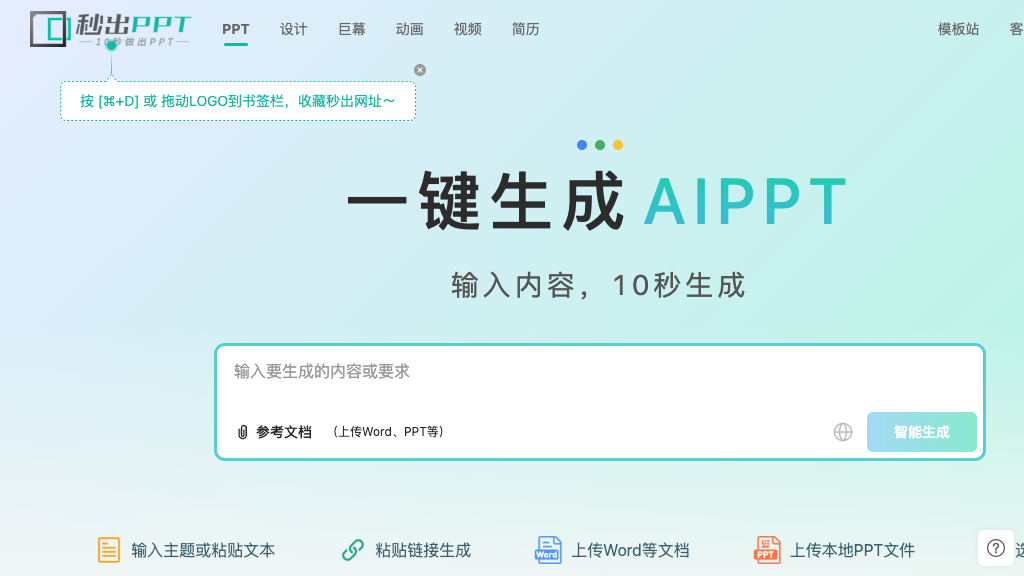
Create professional PowerPoint slides in seconds with 10sPPT, an AI-driven tool ideal for business professionals and educators seeking efficiency.
Community:
秒出PPT - Reviews: User Feedback, Features, Pros & Cons
Key Features
- One-Click PPT Generation: Instantly generates presentations from topics or documents.
- Dual-Interface Editing: Features Word-style editing alongside real-time PPT preview.
- Massive Template Library: Access to over 10,000 templates updated daily.
- Intelligent Assistant: Offers natural language command responses for various editing tasks.
Typical Use Cases
Business Presentations
Create compelling business presentations quickly without extensive design skills.
Create compelling business presentations quickly without extensive design skills.
Educational Content
Transform lesson plans into engaging visual presentations for classroom use.
Transform lesson plans into engaging visual presentations for classroom use.
Marketing Materials
Rapidly produce presentation materials for campaigns and client meetings with professional templates.
Rapidly produce presentation materials for campaigns and client meetings with professional templates.
Best For
- Business professionals (because of its efficiency in creating presentations)
- Educators (because it simplifies lesson plan transformation)
- Marketing teams (because it speeds up campaign material production)
Read More
Avoid
- Those unfamiliar with digital tools
- Users seeking extensive customization beyond templates
- Individuals not needing rapid presentation creation
Pricing Overview
The pricing details are not disclosed but are expected to align with industry standards for AI-powered software solutions offering extensive functionality like template access and collaborative features.
FAQ
- How fast can 10sPPT actually create a presentation?
10sPPT can generate a complete presentation with content and formatting in approximately 10 seconds after you input your topic or upload a document. - Can I edit the generated presentations?
Yes, you can edit presentations using the dual-interface system with Word-style editing on the left and PPT preview on the right, plus an intelligent assistant for advanced editing commands. - What file formats can I upload for conversion?
The platform supports various document formats including Word documents and other text files that can be automatically converted into presentations. - How many templates are available?
10sPPT offers over 10,000 templates that are updated daily, covering different scenarios, color schemes, and design styles. - Does 10sPPT support team collaboration?
Yes, the platform includes collaborative editing features that allow multiple team members to work on presentations simultaneously through shared links. - Can the intelligent assistant help with specific editing tasks?
The smart assistant can handle various commands including content modification, image insertion, text simplification, chart addition, and automatic layout optimization.
Verdict
The platform effectively meets the needs of those requiring quick yet professional presentation creation. While its feature set is robust and versatile, users may need time to fully leverage its intelligent capabilities. Overall, it's a valuable tool for streamlining presentation workflows.
秒出PPT Reviews
No reviews yet
Top Regions of 秒出PPT
🇨🇳CN:99.62%
🇺🇸United States:0.37%
秒出PPT Traffic Trends
Monthly Visits: 30.09K